Key takeaways
- Get the best battery life S9 Plus with settings, care tips, and replacement battery advice for the Samsung Galaxy S9 Plus.
As an Amazon Associate, we earn from qualifying purchases.
The Samsung Galaxy S9 Plus is still a capable phone years after its release, with a large display, a good camera, and a solid design. Its weak point, as with any phone of its age, is the battery. The original 3500 milliamp hour cell has been through hundreds of charge cycles by now, and many S9 Plus phones no longer last a full day. The good news is that a large part of battery life is under your control, through settings, habits, and, when needed, a replacement battery.
This guide explains how to get the best battery life S9 Plus owners can expect, from the settings that make the biggest difference to the signs that the battery itself needs replacing. It covers the built in power saving modes, the apps that drain the battery fastest, and the practical steps that can add hours to a day of use.
Why the S9 Plus Battery Struggles Now
The Galaxy S9 Plus shipped with a 3500 milliamp hour battery, which was generous for its time. Lithium ion batteries lose capacity with every charge cycle, and after several hundred cycles a battery may hold only 70 to 80 percent of its original capacity. A phone that once lasted a full day may now need a top up by the afternoon, even with the same use.
Software also plays a part. Apps have grown more demanding, background services have multiplied, and the phone’s processor works harder than it did when the phone was new. A fresh battery helps, but it cannot fix a phone that is running many power hungry apps in the background. The best results come from combining good settings with a healthy battery.
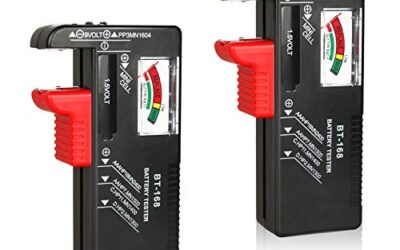
Check the battery health before doing anything else. Samsung’s device care settings show which apps use the most power, and third party battery health apps can estimate the remaining capacity. If the battery holds less than 70 percent of its original capacity, no amount of settings tweaking will restore a full day of use, and a replacement battery is the better investment.
Settings That Make the Biggest Difference
Screen brightness is the largest single drain on any phone battery. The S9 Plus has a bright, beautiful display, and at full brightness it uses a lot of power. Turn on adaptive brightness so the phone adjusts automatically, and lower the brightness manually when you are indoors. Dropping from full brightness to around half can add hours of use.
Screen resolution is a setting many owners overlook. The S9 Plus can run its display at a high resolution, but it also offers a lower resolution mode that uses less power and is barely noticeable in everyday use. Switching to the lower resolution, or to the middle setting, reduces the work the processor does and extends battery life.
Screen timeout matters too. A phone that stays awake for two minutes after you stop using it wastes power every time you put it down. Set the timeout to 30 seconds, so the display turns off quickly when you are done. It takes a day to get used to, and then you will not notice it.
Always on display is a convenient feature, but it draws power all day. Turn it off, or set it to show only when you tap the screen. The same applies to edge lighting and other display effects. They look good, but they cost battery life for little practical benefit.
Power Saving Modes
The S9 Plus has several power saving modes, and they are the fastest way to extend battery life when you need it. Medium power saving reduces brightness, limits background data, and caps processor speed. It is suitable for a normal day when you want the phone to last longer without giving up much. Maximum power saving goes further, limiting the phone to essential apps and a simplified home screen. It is the mode to use when the battery is low and you need the phone to survive until you can charge it.
Use the modes proactively, not only when the battery is nearly flat. Turning on medium power saving in the morning, when you know it will be a long day, gives you more usable hours than turning it on at 20 percent. The phone will feel slightly slower, but for calls, messages, browsing, and email, the difference is small.
Adaptive power saving, which learns your usage and applies power saving automatically, is worth enabling. It adjusts the settings based on how you use the phone, so you get the benefit without thinking about it. Check the device care settings to see which apps the phone has put to sleep, and add any app you do not need running in the background.
Apps and Background Drain
A small number of apps usually cause most of the battery drain. Social media, video streaming, and navigation apps are the biggest culprits, because they use the display, the processor, the network, and location services at the same time. Check the battery usage screen to see which apps use the most power, and decide whether each one earns its place.
Restrict background activity for apps you do not need to update constantly. An app that refreshes in the background every few minutes, checks for messages, and downloads content will drain the battery even when you are not using the phone. Put apps you rarely use to sleep, so they cannot run in the background at all.
Location services are another hidden drain. An app that tracks your location constantly uses far more power than one that checks occasionally. Set location permission to only while using the app, rather than always, for every app that does not need constant tracking. Turn off location entirely when you do not need it, such as when you are at home.
Charging Habits That Protect the Battery
How you charge matters as much as how you use the phone. Lithium ion batteries age fastest when they are kept fully charged, or when they are charged quickly and get hot. Charging the S9 Plus overnight to full every night is convenient, but it keeps the battery at full charge for hours, which accelerates ageing. If you can, charge the phone during the day and unplug it when it reaches around 80 percent.
Avoid letting the battery run completely flat on a regular basis. A lithium battery that is discharged to zero and left flat can be damaged, and it will lose capacity faster than one that is kept between 20 and 80 percent. Charge the phone when it reaches 20 percent, and unplug it before it sits at 100 percent for hours.
Heat is the biggest enemy of a phone battery. Do not leave the S9 Plus in a hot car, on a sunny windowsill, or under a pillow while charging. If the phone feels hot during charging, remove the case, move it to a cool spot, and use a slower charger. Fast charging is convenient, but it generates heat, so use it when you need a quick top up and a standard charger the rest of the time.
When to Replace the Battery
If the S9 Plus shuts down suddenly at 20 or 30 percent, if it loses charge very quickly, or if the back of the phone feels swollen, the battery needs replacing. A swollen battery is a safety issue: stop using the phone, do not charge it, and have the battery replaced or the phone recycled safely.
A replacement battery for the S9 Plus is available from repair shops and parts suppliers. A professional replacement is the safest option, because the S9 Plus has a sealed design and a glued back panel that is easy to damage. A repair shop will fit a new battery, test the phone, and reseal it properly. If you are comfortable with phone repair, a replacement battery kit with tools is available, but the job needs patience and care.
After a replacement, the phone should last close to its original battery life, though a new battery will not make the phone faster or fix software problems. Calibrate the new battery by charging it fully, using the phone until it reaches a low level, and charging it fully again. That helps the phone learn the capacity of the new cell.
Daily Habits for Longer Life
Turn off WiFi, Bluetooth, and mobile data when you do not need them. A phone searching for a WiFi network in a place with no signal drains the battery quickly. Enable aeroplane mode in areas with no signal, such as a basement or a remote area, because the phone will otherwise keep searching for a network at full power.
Use WiFi instead of mobile data when you can. WiFi uses less power than a mobile connection, especially in areas with a weak signal, where the phone boosts its radio power to stay connected. Download music, podcasts, and video over WiFi before you leave home, so you are not streaming over mobile data all day.
Lower the volume and use wired headphones instead of Bluetooth when battery life matters. Bluetooth uses power, and the phone’s speaker uses more power than headphones. Small savings add up across a day, and they cost nothing to make.
Frequently Asked Questions
How long should an S9 Plus battery last? A new S9 Plus battery lasts a full day of moderate use. An older battery that has been through hundreds of cycles may last only half a day. If the phone needs charging by lunchtime with normal use, the battery is worn.
Is it worth replacing the battery in an S9 Plus? Yes, if the phone otherwise works well and you are happy with it. A replacement battery costs far less than a new phone and can restore a full day of use. If the phone is slow, the screen is damaged, or you need newer software, a new phone may be the better choice.
Does dark mode save battery on the S9 Plus? Yes. The S9 Plus has an AMOLED display, where black pixels use almost no power. Using dark mode in apps and in the system settings can extend battery life noticeably, especially if you use the phone a lot at night.
Should I use fast charging on the S9 Plus? Fast charging is convenient, but it generates heat and ages the battery faster. Use it when you need a quick top up, and use a standard charger for overnight or routine charging.
Why does my S9 Plus get hot? Heat usually comes from a demanding app, from charging, or from a weak signal that makes the radio work hard. Close demanding apps, move to a cooler spot, and check the battery usage screen to find the cause. A phone that gets hot often may have a failing battery.
Final Thoughts
The best battery life S9 Plus owners can get comes from a combination of settings, habits, and, when needed, a new battery. Lower the brightness, reduce the resolution, set a short screen timeout, use power saving modes, and restrict the apps that drain power in the background. Charge the phone sensibly, keep it cool, and avoid letting it sit flat or fully charged for long periods.
If the battery is worn, a professional replacement can restore a full day of use for far less than a new phone. With good settings and a healthy battery, the S9 Plus remains a capable phone that can last from morning to night.