Our Short List of 3
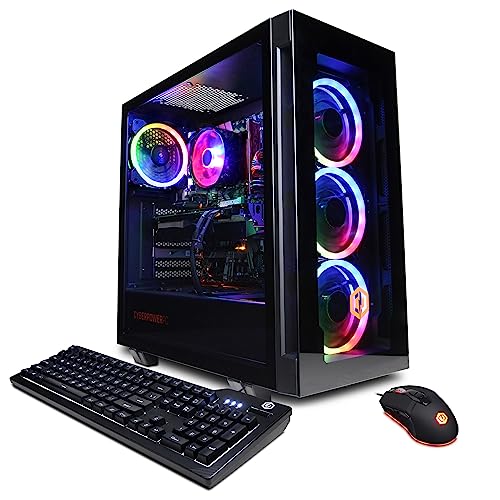
All 5 Picks at a Glance
| Product | Specs | Action |
|---|---|---|
 Skytech Archangel — Ryzen 7 5700 and Radeon RX 9060 XT | Check price on Amazon | |
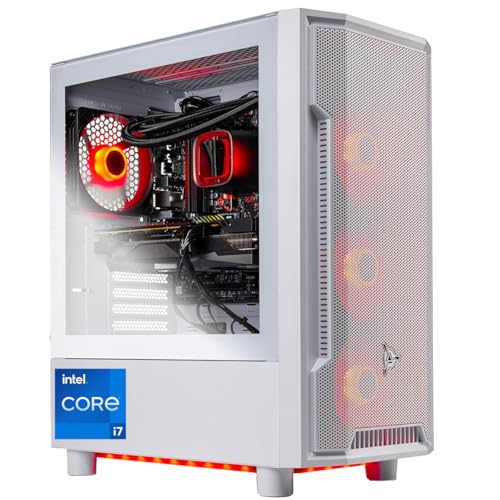 Skytech Archangel — Intel Core i7-12700F and GeForce RTX 4060 | Check price on Amazon | |
| CyberPowerPC Gamer Xtreme — Intel Core i7-13700F and GeForce RTX 4060 Ti 16GB | Check price on Amazon | |
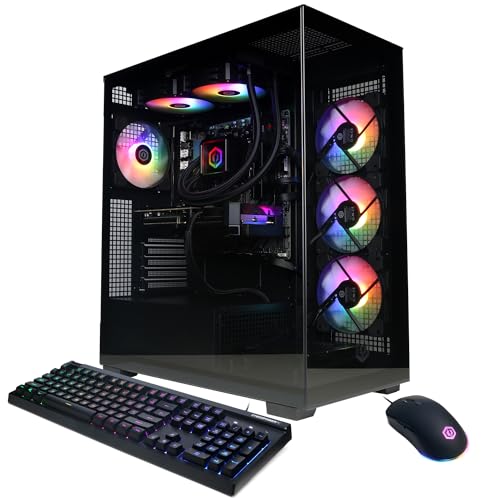 CyberPowerPC Gamer Xtreme — AMD Ryzen 9 9900X and GeForce RTX 5070 | Check price on Amazon | |
 Skytech King 95 — AMD Ryzen 7 9700X and GeForce RTX 5070 | Check price on Amazon |
Key takeaways
- Compare the best prebuilt PCs from Skytech and CyberPowerPC, with Ryzen and Intel processors, RTX and Radeon graphics, DDR5 memory and fast NVMe storage.
As an Amazon Associate we earn from qualifying purchases.
A prebuilt PC is a complete desktop computer that arrives assembled, with its processor, graphics card, memory, storage and operating system already installed and configured. You avoid choosing a compatible motherboard, fitting a cooler, routing cables and troubleshooting a first boot, and you get a single machine covered as a whole system rather than as separate parts. The trade-off is that you accept the builder’s choices, so buying well means reading those choices carefully.
This guide covers five prebuilt desktop PCs sold on Amazon US by two established system builders, Skytech Gaming and CyberPowerPC. Every machine here is a tower desktop with a dedicated graphics card, solid-state NVMe storage and Windows 11 Home, which makes the set well suited to gaming first, while also handling study, office work, streaming and everyday creative tasks. The five systems span two processor families, two memory generations and graphics hardware from the Radeon RX 9060 XT and GeForce RTX 4060 up to the GeForce RTX 5070.
Read the how-to-choose section first if you are new to desktop specifications, then use the product sections to match a machine to your monitor and workload. Specifications are taken from the corresponding Amazon product page, including the ASIN shown there, so you can check the exact configuration on the listing before you buy.
Disclosure: This article contains affiliate links. If you buy through these links, we may earn a commission at no additional cost to you.
How to Choose a Prebuilt PC
Start with the graphics card, because it sets the gaming ceiling. In a gaming desktop, the graphics card does most of the work that decides frame rates and the settings you can use at a given resolution. The machines in this guide run from the Radeon RX 9060 XT with 8GB of graphics memory and the GeForce RTX 4060 with 8GB, through the GeForce RTX 4060 Ti with 16GB, up to the GeForce RTX 5070 with 12GB. More graphics memory helps with higher resolutions and larger textures. Match the card to your monitor first: a 1080p display asks far less of a system than a 1440p high-refresh display.
Pair the processor with the graphics card, and think beyond games. The processor feeds the graphics card, runs the game itself, and handles everything else the computer does. This guide includes the AMD Ryzen 7 5700, Intel Core i7-12700F, Intel Core i7-13700F, AMD Ryzen 9 9900X and AMD Ryzen 7 9700X. For gaming alone, any of these is a capable partner for its paired graphics card. Stronger processors earn their place in mixed use: streaming while playing, editing video, compiling code or keeping many demanding applications open. If the PC is purely for play, prioritise the graphics card; if it is also a work machine, give the processor more weight.
Memory capacity matters more than memory generation at first, but generation affects upgrades. Three of these systems carry 32GB of memory and two carry 16GB. For gaming and general use, 16GB remains workable, while 32GB gives more headroom for multitasking, content creation and future games. The generation split also matters: the Ryzen 7 5700 and Core i7-12700F systems use DDR4, while the other three use DDR5. The two types are not interchangeable, and the motherboard decides which you can add later.
Storage speed is standard here; capacity is the real question. All five machines use a 1TB NVMe solid-state drive, which means fast starts, quick game loading and responsive everyday use across the whole list. The decision is whether 1TB is enough. Modern games are large, and a drive shared with photos, video projects and work files fills faster than most buyers expect. Every tower here can take additional storage later; if you keep a large library installed, plan that expansion when you buy.
Check the power supply and cooling, not just the headline parts. A prebuilt PC lives or dies by the parts listings sometimes treat as footnotes. A named power supply wattage with 80 Plus Gold certification, as listed for the Skytech systems here, gives a clearer picture of the electrical headroom available for the graphics card and for later upgrades. Cooling decides how the machine behaves under sustained load: the Skytech Archangel with the Core i7-12700F lists a 240mm all-in-one liquid cooler, and the Skytech King 95 lists a 360mm ARGB all-in-one cooler, while other systems in the list rely on their case airflow and processor cooler arrangement as described on their pages.
Confirm what is in the box and what is not. These are desktop towers; a monitor is not part of the systems described here. Some listings include a keyboard and mouse, and the individual sections below note where the product page states that. Check the listing for the exact included items, the available display outputs for your monitor cables, and the wireless standard, since these details decide whether the PC works with your existing desk setup on the day it arrives.
Finally, check the exact configuration on the listing itself. Prebuilt ranges reuse model names across many configurations that share a case but carry different parts. The ASIN identifies the specific configuration in each section below, so use it to confirm you are looking at the same system before you order.
Skytech Archangel — Ryzen 7 5700 and Radeon RX 9060 XT
The Skytech Archangel configuration listed under this ASIN pairs an AMD Ryzen 7 5700 processor, running at 3.7 GHz with boost up to 4.6 GHz, with an AMD Radeon RX 9060 XT graphics card with 8GB of GDDR6 graphics memory. It carries 32GB of DDR4 memory at 3200 speed, a 1TB NVMe M.2 solid-state drive and a 650W Gold power supply, in a white Archangel case with ARGB fans. Windows 11 Home 64-bit is installed, wireless support is 802.11AC Wi-Fi, and the page lists keyboard, mouse, power cord and start guide among the items included in the box.
This configuration suits a buyer who wants generous memory capacity. Its 32GB is double that of the two 16GB machines here, which helps players who keep voice chat, a browser and streaming tools open alongside a game, and users who edit photos or video between sessions. Its DDR4 platform means later memory additions use the widely available DDR4 type.
The Radeon RX 9060 XT gives this machine a current-generation AMD graphics option in a guide otherwise dominated by NVIDIA cards. The 650W Gold power supply is clearly stated on the page, which makes the system’s headroom easy to judge. If your priority is a balanced, memory-rich gaming desktop in a white case, with peripherals included, this Archangel is the natural starting point in the set.
Skytech Archangel — Intel Core i7-12700F and GeForce RTX 4060
This second Archangel configuration takes the Intel route. Its product page lists an Intel Core i7-12700F processor at 2.1 GHz with boost up to 4.9 GHz, an NVIDIA GeForce RTX 4060 graphics card with 8GB of GDDR6X graphics memory, 16GB of DDR4 memory at 3200 speed and a 1TB NVMe solid-state drive. The power supply is a 600W Gold unit, cooling includes a 240mm all-in-one liquid cooler, and the system carries 802.11AC Wi-Fi and Windows 11 Home in the same white Archangel case style as its sibling above.
Although the two Archangel machines share a range name, they are different computers — a good example of why the ASIN matters. This version trades the other machine’s 32GB of memory for a liquid-cooled Intel processor and NVIDIA graphics. The 240mm all-in-one cooler is a meaningful detail for long gaming sessions or sustained processor-heavy work.
Choose this Archangel if you prefer an Intel processor and NVIDIA graphics, play mainly at 1080p or moderate 1440p settings, and value cooling over maximum memory capacity. The 16GB of DDR4 covers gaming and everyday multitasking, and adding capacity later is straightforward if your workload grows.
CyberPowerPC Gamer Xtreme — Intel Core i7-13700F and GeForce RTX 4060 Ti 16GB
The CyberPowerPC Gamer Xtreme listed under this ASIN, model GXiVR8040A14, is built around an Intel Core i7-13700F processor at 2.1 GHz and a GeForce RTX 4060 Ti graphics card with 16GB of graphics memory. The page lists 16GB of DDR5 memory, a 1TB NVMe solid-state drive, Wi-Fi readiness and Windows 11 Home. That combination makes it the step in this guide where both the memory generation and the graphics memory capacity move up at the same time.
The 16GB of graphics memory is the headline here. Compared with the 8GB cards in the Archangel systems, it gives more room for higher texture settings, higher resolutions and creative applications that load large assets into the card. Buyers who play at 1440p or work with video and 3D tools will feel that difference most. The Core i7-13700F is a strong partner, able to handle streaming and background tasks while a game runs.
The DDR5 platform is the other reason to pick this system: it is the current memory generation, shared by the two most powerful systems here. System memory is 16GB rather than 32GB, so heavy multitaskers should plan a later addition, but the base specification is coherent — a modern processor, a graphics card with generous memory, and fast storage in a VR-ready tower.
CyberPowerPC Gamer Xtreme — AMD Ryzen 9 9900X and GeForce RTX 5070
This Gamer Xtreme configuration, model GXiVR8080A41, is the multitasking flagship of the guide. Its Amazon page lists an AMD Ryzen 9 9900X processor at 4.4 GHz, a GeForce RTX 5070 graphics card with 12GB of GDDR7 graphics memory, 32GB of DDR5 memory, a 1TB PCIe 4.0 solid-state drive, Wi-Fi readiness and Windows 11 Home. The page also lists the desktop, keyboard, mouse and power cord among the included items, and gives display output through HDMI and DisplayPort.
The Ryzen 9 9900X is the strongest processor in this list for running many demanding things at once: editing and rendering video, large photo or code projects, multiple monitors, or streaming while other tools stay open. Paired with the RTX 5070, it will not hold the graphics card back in processor-sensitive games.
With 32GB of DDR5, this machine matches the King 95 below on memory while carrying the higher-tier Ryzen 9 processor. Storage is 1TB, as across the guide, so a large library will still call for an added drive eventually, but the core platform is the longest-lived foundation in the CyberPowerPC half of this list. If you want one prebuilt PC that games at high settings and carries serious workloads, look at this configuration first.
Skytech King 95 — AMD Ryzen 7 9700X and GeForce RTX 5070
The Skytech King 95 listed under this ASIN, model ST-KING95-1605-B-AM, pairs an AMD Ryzen 7 9700X processor at 3.8 GHz with boost up to 5.5 GHz with an NVIDIA GeForce RTX 5070 graphics card with 12GB of GDDR7 graphics memory. The page lists 32GB of DDR5 memory at 6000 speed with RGB lighting, a 1TB Gen4 solid-state drive, an 850W Gold power supply, a 360mm ARGB all-in-one liquid cooler, Wi-Fi and Windows 11 Home, in the black King 95 case.
On paper this is the most completely specified system in the guide. It matches the CyberPowerPC above on graphics card, memory capacity and storage, then adds the largest listed power supply at 850W Gold, the joint-largest cooler at 360mm, and the fastest stated memory speed at DDR5 6000. Those supporting parts decide how consistently the headline parts work under sustained load, and how much headroom remains for a future graphics card upgrade.
Choose the King 95 if gaming is the first priority, you play at 1440p or use a high-refresh monitor, and you want the supporting hardware specified as carefully as the processor and graphics card. Skytech lists a one-year parts and labour warranty with lifetime free technical support, as stated on its product page.
Comparison Table
| Product | ASIN | Processor | Graphics | Memory | Storage | Power Supply |
|---|---|---|---|---|---|---|
| Skytech Archangel (Ryzen 7 5700) | B0FBQWQM24 | AMD Ryzen 7 5700, 3.7 GHz | Radeon RX 9060 XT 8GB | 32GB DDR4 3200 | 1TB NVMe SSD | 650W Gold |
| Skytech Archangel (Core i7-12700F) | B0C9PKGLW9 | Intel Core i7-12700F, 2.1 GHz | GeForce RTX 4060 8GB | 16GB DDR4 3200 | 1TB NVMe SSD | 600W Gold |
| CyberPowerPC Gamer Xtreme (Core i7-13700F) | B0CBL8N3FC | Intel Core i7-13700F, 2.1 GHz | GeForce RTX 4060 Ti 16GB | 16GB DDR5 | 1TB NVMe SSD | Not stated in the page content checked |
| CyberPowerPC Gamer Xtreme (Ryzen 9 9900X) | B0DXVFWSS7 | AMD Ryzen 9 9900X, 4.4 GHz | GeForce RTX 5070 12GB | 32GB DDR5 | 1TB PCIe 4.0 SSD | Not stated in the page content checked |
| Skytech King 95 | B0DVCZD19R | AMD Ryzen 7 9700X, 3.8 GHz | GeForce RTX 5070 12GB | 32GB DDR5 6000 | 1TB Gen4 SSD | 850W Gold |
Frequently Asked Questions
What does prebuilt actually mean?
It means the computer arrives as a complete, assembled system with its components installed, Windows set up and drivers in place. You connect a monitor, keyboard, mouse and power, remove any internal packing the builder instructs you to remove, and the machine is ready to use. You are buying a finished computer, not a kit of parts.
Which of these PCs is best for 1440p gaming?
The two systems with the GeForce RTX 5070 — the CyberPowerPC Gamer Xtreme with the Ryzen 9 9900X and the Skytech King 95 — carry the strongest graphics hardware in this guide, with the CyberPowerPC Gamer Xtreme with the RTX 4060 Ti 16GB as the next step down. The Archangel systems are aimed more squarely at 1080p play and lighter 1440p use.
Is 16GB of memory enough, or should I choose 32GB?
For gaming and ordinary multitasking, 16GB remains workable, and two systems here carry it. Choose 32GB if you stream, edit video, work with large files or simply want more headroom for the years ahead. Note the generation as well as the capacity: DDR4 systems take DDR4 additions and DDR5 systems take DDR5.
Can I upgrade a prebuilt PC later?
Generally yes for storage and memory, and these tower systems use standard desktop components. Graphics card and power supply upgrades depend on the case space and the wattage already fitted, which is why the stated power supply figures in the sections above are worth checking. Confirm clearances and connector details on the product page before planning a specific upgrade.
Do these PCs include a monitor, keyboard and mouse?
A monitor is not included with the towers in this guide. Keyboard and mouse inclusion varies by listing: the Skytech Archangel with the Ryzen 7 5700 and the CyberPowerPC Gamer Xtreme with the Ryzen 9 9900X state keyboard and mouse among their included items on the pages checked. Check the exact listing for the ASIN you choose before assuming peripherals are in the box.
Why do two machines share the Archangel name but have different parts?
Prebuilt ranges are families, not single products. Builders sell many configurations under one range name and case, changing the processor, graphics card, memory and cooling between them. The ASIN is the reliable identifier for one specific configuration, so compare ASINs and part lists rather than range names alone.
Conclusion
The best prebuilt PC is the one whose parts match your screen and your workload, not simply the one with the longest specification list. In this guide, the Skytech Archangel with the Ryzen 7 5700 suits a buyer who wants 32GB of memory and current AMD graphics in a complete package with peripherals included. The Intel Archangel suits a buyer who prefers Intel and NVIDIA parts with liquid cooling. The CyberPowerPC Gamer Xtreme with the Core i7-13700F adds a 16GB graphics card and the DDR5 platform, while its Ryzen 9 9900X sibling is the multitasking flagship for buyers who work as hard as they play. The Skytech King 95 rounds out the list with the most fully specified supporting hardware around an RTX 5070 core.
Whichever system you choose, take a final minute on the product page for its ASIN to confirm the configuration, the included items and the display outputs against your own desk setup. That single check is what turns a good prebuilt PC on paper into the right computer when the box is opened.